About Chat2it


MATT is scaleable with additional features being developed as our algorithms uses more data.
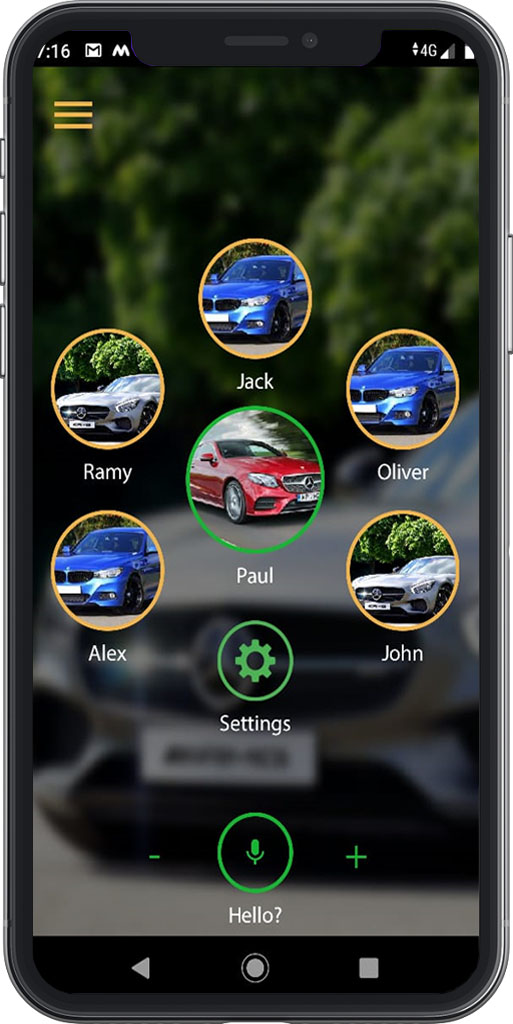
When using our product communication is carried out via your chosen vehicle. Initially the questions and answer will be based on a standard template of popular questions and typical responses. With more data, MATT will have the ability to extrapolate, and provide a more intuitive response, one that is more suited to your lifestyle.
Using a calendar feature, your weekly vehicle usage schedule can be saved and you can choose to share such information with your family and/or friends.
Using our product you can inform your family and/or friends on matters that concern you. By engaging with the car they can obtain information as ETA to an event. even locational information with regard to other family and/or friends. More subtle personal communication such as “when I park my car at this location I will be going on vacation”, can be easily communicated.

By you choosing when to share information, your family and/or friends, can select to obtain, arrival/departure to and from places of interest. Including planned/unplanned hospital visits, even notification of car faults. This information, can be used as an alternative to the conventional forms of communication.
Having a car signature, will enable you to have a glimpse of the future. MATT’s incorporated algorithms, predict events related to you and our patented car signature. For instance, If your car data exhibits a type “A” signature, MATT can predict the likelihood of being at a large social gathering.
By using MATT, you can become part of the growing trend to benefit from one of many vehicle insurance programs that offer lower premiums based on your usage.
Based on GPS technology, environmental and vehicle, data.
Is safe and securely managed and governed by our data protection service
Local support is provided, 24/7 on line, and made to facilitate direct communication with our team. Get to know us we get to know you !
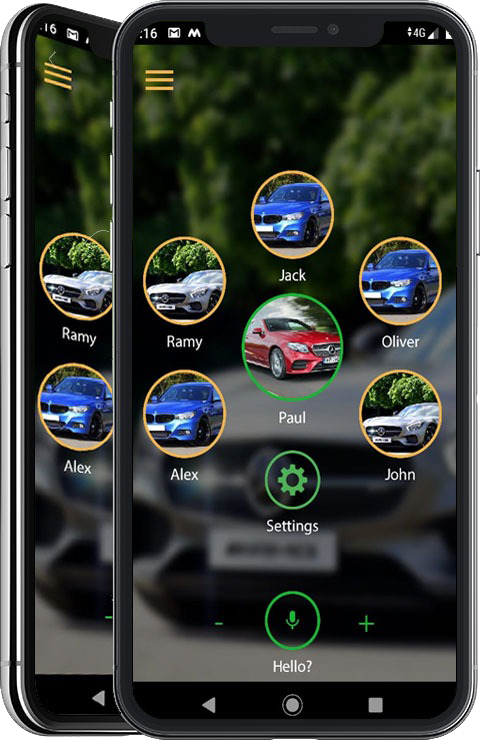
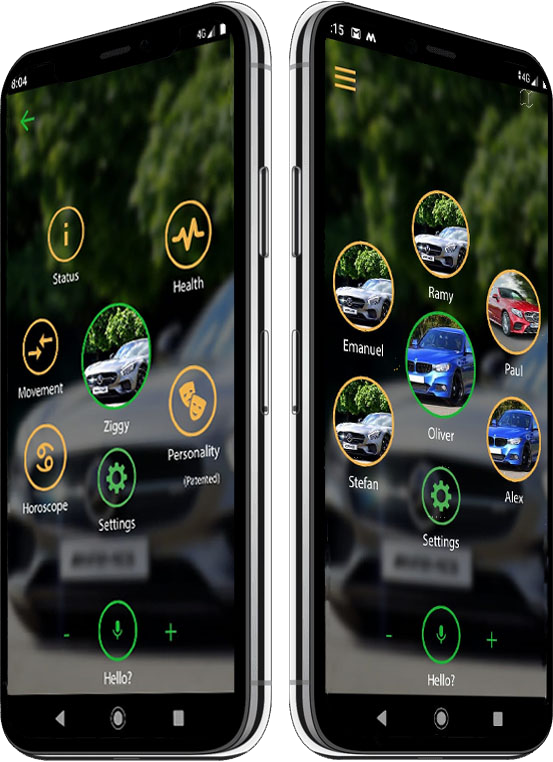
We also have the possibility of customising your screen to suit the functionality and friends that suits you.

Communication is not location based. Wherever you are feel free to keep in touch.
A few clicks away irrespective of Global geographical location.
The tools at your disposal, are familiar and easily manageable.
Always on until you decide to turn it off.
Learn the subtlety of discretely coordinating your activities, with your chosen contacts.

Phones off MATT on !
CEO Founder
Web Designer
Creative Director
App Developer
Choose the functions that will suit your lifestyle

Our answers to your doubts
The app can be downloaded via our download tab on our site.
General information shall be provided to you by contacting us using the Contact form on our website.
Registering, is for those who have already been contacted by a supplier and are now ready to register a device.
The device can obtained through one of many independent agents. If you have not been contacted already, please contact us via the form on our site. We shall put you in touch with your nearest agent.
Upon purchasing a device, installation can be carried out via the device provider agent, if necessary. Some devices require no installation and are simply “plug and play”.
A SIM card ready device, (charged separately), is already configured to work with “MATT”.If you want to use your own Sim then configuration can be coordinated by the same device provider.
No the data is stored and can be retrieved later. “Calendar” feature will enable you to retrieve the data.
Yes, you can get the demo of the “MATT” app. Simply use our website contact form.
Not yet, “MATT” is compatible with Android, an iOS version is planned for a later release.
Features are listed on the website.
Your private data is secured and safely handled under the terms of our agreement contained on our website.
Still have a question? Ask your question here
Provide us your contact information and we will keep you updated on features and upgrades.
We don’t share your personal information with anyone or company. Check out our Privacy Policy for more information.
We will keep you informed here !
Licenses
As a powerful tool for motion graphics and visual effects, Adobe After Effects enables users to craft stunning titles, transitions, and cinematic effects. The software’s robust feature set allows artists, animators, and editors to bring their creative visions to life. By harnessing the power of keyframes, 3D layers, tracking, and plugins, users can unlock a world of possibilities in post-production.• Keyframe animation: a fundamental technique for creating dynamic motion in After Effects• Advanced compositing tools for seamless integration with other Adobe apps• Support for 360-degree video and VR content creation
One of the standout features of Adobe After Effects is its seamless integration with other Adobe apps, including Premiere Pro and Photoshop. This enables users to streamline their workflow, working efficiently between multiple applications. By leveraging these integrations, artists and editors can focus on creating exceptional visual effects.• Smooth transitions between After Effects and Premiere Pro for streamlined editing• Real-time previewing of effects in Photoshop for rapid design iteration
For those looking to unlock the full potential of Adobe After Effects, it’s essential to familiarize yourself with its advanced features. From 3D tracking and modeling to color grading and visual effects, each tool offers a unique way to enhance your creative workflow.• Advanced 3D tools for creating complex animations and effects• Color grading techniques for fine-tuning the look of your project
Q: How do I create a simple animation in After Effects?A: To get started, try using the Animation Panel to define keyframes for your desired motion. Experiment with different easing options and animations to achieve the desired effect.Q: What’s the difference between 2D and 3D tracking in After Effects?A: In short, 2D tracking is ideal for planar objects, while 3D tracking allows you to track more complex movements, such as those involving depth and rotation.
In conclusion, Adobe After Effects is a powerful tool that offers unparalleled creative possibilities. By mastering its advanced features and integrating it with other Adobe apps, artists, animators, and editors can unlock exceptional visual effects that elevate their work to new heights.
https://chat2it.com/ashampoo-burning-studio-portable-exe-windows-11-x32x64-patch-2025/
Licenses
With this tool, you can explore various options for burning your discs, all while having the flexibility to create ISO images, safeguard your data on CDs and DVDs, and much more. This feature provides users with a wide range of possibilities. By using this tool, you’ll be able to access features that enhance productivity and efficiency. The user interface is intuitive, ensuring an easy experience for those who are new to disc burning. With the help of this tool, you can increase your creative capabilities and make the most out of your digital assets.
| Feature | Description |
|---|---|
| Burn CDs and DVDs at high speeds | Utilize the latest disc burning technology to create professional-looking discs in no time. |
| Support for multiple disc formats | Create and burn discs in various formats, including CD-R, CD-RW, DVD-ROM, DVD-RW, and more. |
| User-friendly interface | Easily navigate the tool’s intuitive interface, perfect for users of all skill levels. |
What are the benefits of using this disc burning tool?
By leveraging the features and capabilities of this tool, you can unlock a range of benefits that enhance your productivity and efficiency. From creating professional-looking discs to safeguarding your data on CDs and DVDs, this tool provides an unparalleled level of flexibility and convenience.
The possibilities are endless, and this tool provides the perfect platform for you to explore them. With its user-friendly interface and robust feature set, you’ll be able to unlock a world of creative possibilities and make the most out of your digital assets.
What are the future plans for this disc burning tool?
Our team is committed to continually improving and expanding the features of this tool, ensuring that it remains a vital component of our users’ workflow. Stay tuned for updates on new features, bug fixes, and compatibility enhancements.
Clean
As a leading office suite, Microsoft Office is trusted and widely used around the world, including everything you need for smooth operation with documents, spreadsheets, presentations, and other tasks. Versatile for both professional settings and daily tasks – while at home, in school, or on the job.
Microsoft Publisher is a budget-friendly and straightforward desktop layout software, designed to facilitate the creation of polished print and digital materials there’s no requirement to use advanced graphic editing tools. Unlike standard text editors, publisher allows for more meticulous positioning of page elements and design refinement. The software provides an assortment of pre-designed templates and adjustable layouts, enabling users to quickly dive into work without needing design skills.
Microsoft Teams is a versatile platform for communication, collaboration, and video conferencing, designed to be a universal solution suitable for teams of any scale. She has become a primary component of the Microsoft 365 ecosystem, integrating chats, calls, meetings, file exchanges, and other service integrations into one workspace. The main focus of Teams is to create a single, cohesive digital hub for users, where you can socialize, plan tasks, run meetings, and work on documents jointly—without exiting the app.
Microsoft Visio is a software application for making diagrams, charts, and visual models, designed to depict complicated information in a straightforward and organized style. It is particularly effective in illustrating processes, systems, and organizational setups, visual diagrams of IT infrastructure architecture or technical plans. The tool provides a plentiful library of pre-designed elements and templates, quick to transfer onto the workspace and link with other components, establishing coherent and easy-to-understand diagrams.
Microsoft OneNote is a digital note organizer designed for rapid and user-friendly collection, storage, and arrangement of thoughts and ideas. It merges the adaptability of a regular notebook with the features of contemporary software: this is the place to type text, insert images, audio, links, and tables. OneNote is ideal for personal use, studying, work tasks, and teamwork. Through integration with Microsoft 365 cloud, records are automatically synchronized on all devices, enabling data access anytime and anywhere, whether on a computer, tablet, or smartphone.
Let us know what you like.
The Moon Tower No.1
Vadtal Road, Bakrol, Anand
Gujarat, India
Contact@chat2it.com